Hefkolomset - 2600 lbs - Slaglengte 16"
Hefkolomset - 2600 lbs - Slaglengte 16"


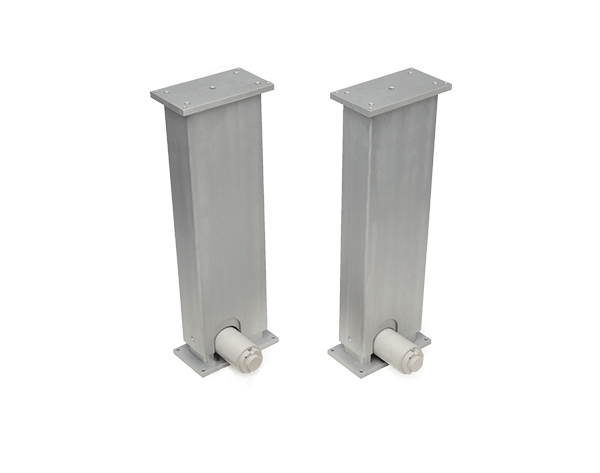
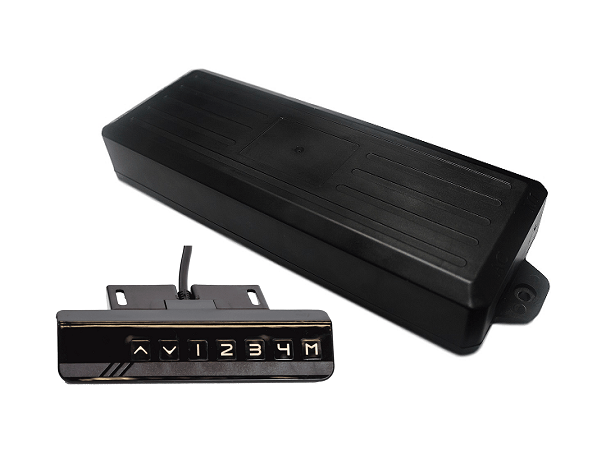
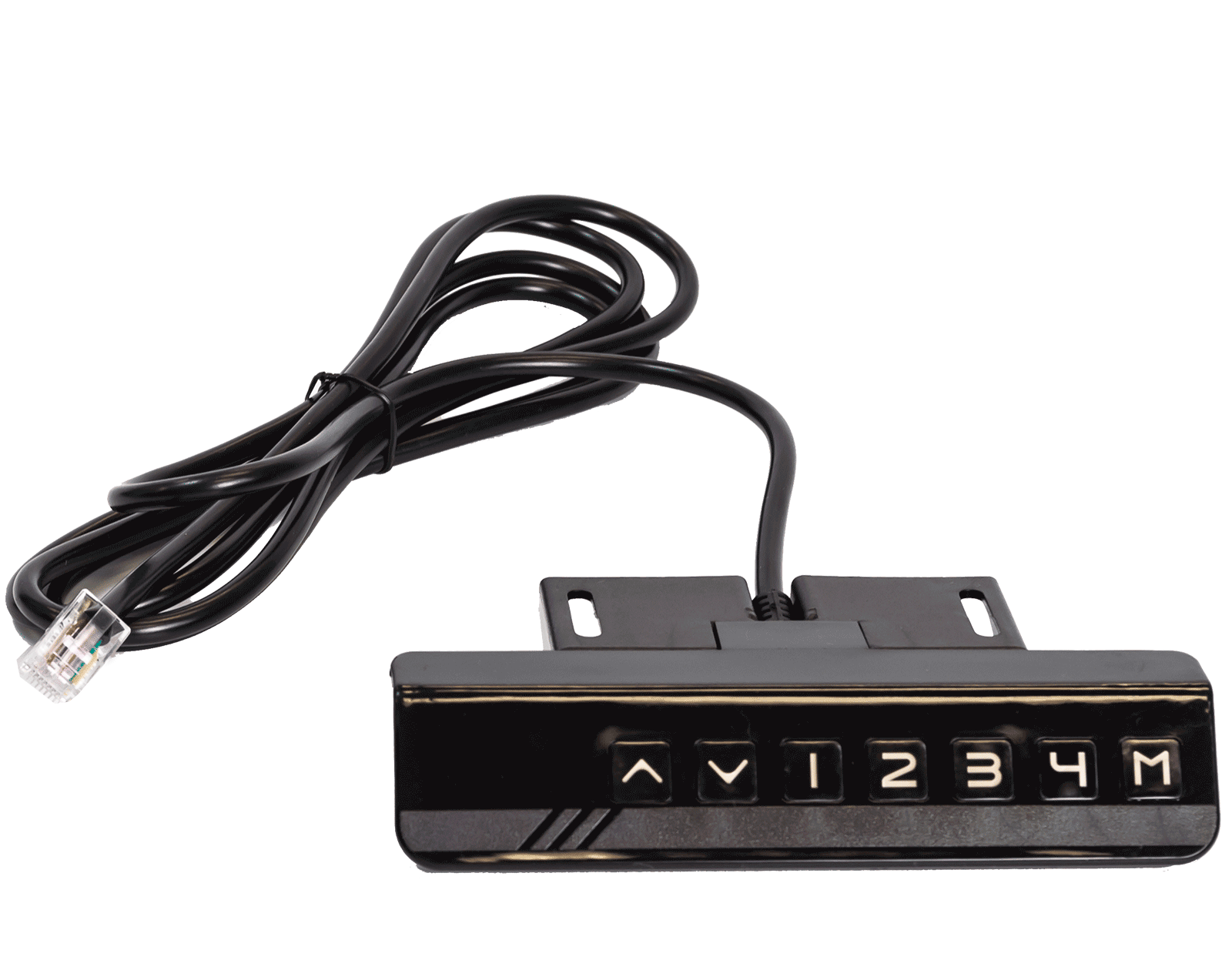
De FLT-12 hefkolomset is een hefsysteem met twee kolommen. Het wordt geleverd met twee hefkolommen, een voeding en een bedrade afstandsbediening waarmee tot vier vooraf ingestelde posities kunnen worden opgeslagen. De afstandsbediening heeft ook een 5V‑USB-oplaapoort. Dit zijn de sterkste hefkolommen die we hebben; ze kunnen meer dan 2500 lbs heffen, waardoor dit het ideale hefsysteem is voor toepassingen die enorme kracht vereisen.
De FLT-12 hefkolomset is een hefsysteem met twee kolommen. Het wordt geleverd met twee hefkolommen, een voeding en een bedrade afstandsbediening waarmee tot vier vooraf ingestelde posities kunnen worden opgeslagen. De afstandsbediening heeft ook een 5V‑USB-oplaapoort. Dit zijn de sterkste hefkolommen die we hebben; ze kunnen meer dan 2500 lbs heffen, waardoor dit het ideale hefsysteem is voor toepassingen die enorme kracht vereisen.
| Ingangsspanning | 120 VAC |
| Uitgangsspanning | 24 VDC |
| Slaglengte | 16" |
| Draagvermogen | 2600lbs |
| Snelheid | 0.24"/sec |
| Framehoogte | 22.8" - 37.9" |
| Inschakelduur | 10% |
| Botsingsdetectie | Nee |
| Afstandsbedieningsfuncties | Programmeer tot 4 vooraf ingestelde posities, 5V USB-oplaadpoort |
| IP‑klassificatie | IP43 |
| Gewicht | 46.61 lbs |
| Garantie | 7 jaar |
Het volgen van een reeks normen is cruciaal voor bedrijven om ervoor te zorgen dat hun producten en diensten een kwaliteitsniveau behalen dat klanttevredenheid bevordert. Bij Progressive Automations gaan we voor niets minder dan het beste voor onze klanten en streven we naar voortdurende verbeteringen. Daarom zijn we verheugd aan te kondigen dat Progressive Automations nu ISO 9001:2015‑gecertificeerd is!
Kwaliteit waarop u kunt vertrouwen – Meer informatieDatasheets
FLT-12 Handleiding
We kunnen niet garanderen dat onze afstandsbedieningen zullen werken met besturingssystemen van derden. De pin‑bezetting van de poorten kan per bedrijf verschillen.
Yes, the L shaped standing desk is orientation-friendly and can be installed by your preference. Here is a step-by-step article that explains how this is possible: FLT-05 User Manual
NOTE: The steps below may vary depending on the remote model that you have. The following instructions were made for the standard RT-11 remote. To set the maximum height for your frame, go to the desired height you would like to set and follow the steps below:
- Press M and see [5 -] indicated on the display
- Press the UP button and notice [5 -] blinks
- Hold the M button until you see [999] on the display
- The maximum height has now been set
To set the minimum height for your frame, go to the desired height you would like to set and follow the steps below:
- Press M and see [5 -] indicated on the display
- Press the DOWN button and notice [5 -] blinks
- Hold the M button until you see [000] on the display
- The minimum height has now been set
To reset the limits, follow the steps below:
- Press M and see [5 -] indicated on the display and release
- Hold the M you see [555]
- Limits have been reset
NOTE: The steps below may vary depending on the remote model you have. The following instructions were made for the standard RT-11 remote.
If you have to hold down the remote’s buttons to get to your pre-set height, this means that your control box is in momentary control. To set your remote to non-momentary mode, follow the steps below
- Make sure that there is nothing underneath your desk, as we have to enter the reset procedure
- Press and hold the DOWN button until the display shows [ASr]
- Once [ASr] is shown, press and hold down [1] and you may see two values:a. 10.1 = Non-momentary Mode b. 10.2 = Momentary Mode
- Complete the reset procedure by holding the DOWN button until your standing desk slightly lowers and rises.
Our standing desks have 3 settings for collision detection, and this can be set depending on your preference. To proceed, follow the steps below:
- Make sure that there is nothing underneath your desk as we have to enter the reset procedure
- Press and hold the DOWN button until the display shows [ASr]
- Once [ASr] is shown, press and hold the UP [ ^ ] button and you may see three values:a. 10.5 = 11 lbsb. 10.6 = 22 lbsc. 10.7 = 33 lbs
- Complete the reset procedure by holding the DOWN button until your standing desk slightly lowers and rises.
We have some troubleshooting steps for you to take if you see any of the following error codes on the frames with FLTCON series control boxes:
Сheck the error code here.
If the issue you are experiencing persists after following these steps, please feel free to contact our technical product engineers at 1-800-676-6123, or send us an email at sales@progressiveautomations.com.
Depending on your application, there are different specification requirements you should consider when determining the linear actuator you need. These requirements include force, stroke, speed and mounting dimensions. For detailed actuator information, you can refer to either the datasheet or the specification table located on the selected actuator's product page. You can also contact us to speak with one of our expert engineers.
Inschakelduur is het deel van de werkperiode waarin een lineaire actuator actief kan blijven. U kunt de inschakelduur van een lineaire actuator berekenen met de volgende vergelijking: Inschakelduur (%) = (tijd dat de lineaire actuator actief is) / (tijd voor één werkperiode)
Voorbeeld: bij een inschakelduur van 25% kan een actuator 5 minuten continu draaien en moet hij vervolgens 15 minuten rusten voordat hij weer kan werken.
Slaglengte is de afgelegde afstand van de uitschuivende stang. Om de benodigde slaglengte te bepalen, meet u uw toepassing van de volledig ingetrokken positie tot de volledig uitgeschoven positie. Het verschil is de slaglengte die u nodig hebt.
We raden altijd aan een actuator te kopen met een hogere krachtklasse dan uw toepassing vereist. Als u niet zeker bent van uw krachtvereisten, kan dit artikel u helpen dit te berekenen: Kracht berekenen om de juiste lineaire actuator te vinden
Ja, dat is mogelijk. Dit hangt echter wel af van de units die u momenteel gebruikt. Om actuatoren te synchroniseren is een vorm van terugkoppeling nodig, zoals een potentiometer of Hall‑effectsensoren. Voor meer informatie vindt u hieronder enkele van onze belangrijkste artikelen over het synchroniseren van lineaire actuatoren.
De besturingskast die u kiest, moet voldoende spanning en stroom aan uw actuator kunnen leveren. Als u niet zeker bent van de specificaties, neem dan contact met ons op.
U kunt ook compatibele besturingskasten vinden op de productpagina van de door u geselecteerde lineaire actuator.
Backdriving is when an actuator starts sliding down under load, when it is either overloaded or when the actuator has been damaged. Watch the video.
What Does Dynamic and Static Load Ratings Mean?Dynamic load rating is the amount of weight an actuator can pull or push safely when being powered. Static load rating is the amount of weight the actuator can hold or withstand without back driving when it is not being powered. For example, let's just say you have an actuator installed on a window and the static load rating of the actuator is 100lbs, it could experience backdriving when there is a high wind event, which means there will be more pressure exerted on the actuator which would exceed the 100lbs load rating of the actuator.
What Is Lateral Loading?Lateral loading is when the actuator experiences forces from the lateral plane. Actuators are not meant to handle lateral forces at all so if it experiences any lateral forces, it will likely damage the actuator or bend the rod. So it's advised never to use lateral forces and always make sure the actuator is fully in line or in sync with your application, so it does not take any load other than the axial load. Watch the video.