Progressive Motion uygulaması, doğrusal hareket sistemlerinizin uzaktan kontrolünü sadece birkaç dokunuşla tamamen size sunar. Yükseklikleri ayarlayın, hafıza pozisyonlarını kaydedin ve daha fazlasını akıllı telefonunuzun rahatlığından yapın.
Uygulamamızı Neden Seçmelisiniz?

Kullanım Kolaylığı
Kolay gezinme ve kontrol için sezgisel tasarım.

Gelişmiş İşlevsellik
Aktüatör ihtiyaçlarınızın tamamını karşılayan kapsamlı özellikler.

Özelleştirme
Uygulamayı özel ihtiyaçlarınıza ve tercihlerinize uyacak şekilde özelleştirin.

Sorunsuz Kontrol Arayüzü
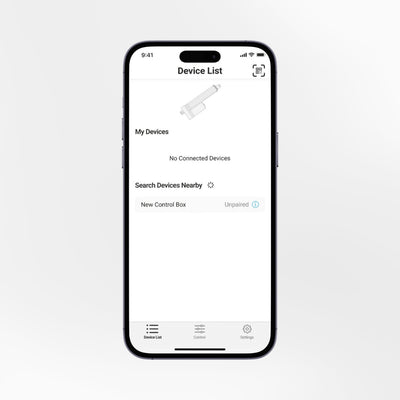
Progressive Motion uygulaması, her şeyi parmaklarınızın ucuna getiren temiz ve modern bir arayüze sahiptir. Hızlı ayarlamalardan daha ayrıntılı kontrol ayarlarına kadar, uygulama her zaman aktüatörün tüm işlevlerine erişebilmenizi sağlar.

Kullanıcı Dostu Gezinme
Uygulama, ekranın alt kısmında yer alan, kullanımı kolay bir sekme sistemine sahiptir. Bu arayüz, kullanıcıların kontrollere ve ayarlara hızlıca erişmesini sağlar. Birden fazla cihaz arasında zahmetsizce geçiş yapın ve hepsini tek bir uygulamadan yönetin.
Sorun Giderme Desteği
Herhangi bir sorunla karşılaşırsanız, uygulama sorunu belirlemenize ve düzeltmenize yardımcı olmak için bir hata mesajı gösterecektir. Daha ayrıntılı destek için, FLTCON sorun giderme kaynakları için web sitemize bakın.
Başlıca Özellikler
Aktüatörleri ve kaldırma kolonlarını kolaylıkla yönetin.
Kurulumunuzun yüksekliğini kolayca ayarlayın. Dört farklı yükseklik tercihini kaydedin ve hızlıca erişin.
Aktüatörleri ihtiyacınıza göre kontrol edin.
Aynı menü içinde birden fazla FLTCON kontrol kutusunu eşleştirin ve kontrol edin.
- Kişiye özel kontrol için minimum ve maksimum yükseklik ayarlarını belirleyin.
- Aktüatör hareketine ilişkin gerçek zamanlı bilgileri görüntüleyin.
- Doğru izleme için gerçek zamanlı güncellemeler alın.
Çalışma hatalarını gidermek için cihazınızı veya ayarlarınızı sıfırlayın.
Açık, koyu veya otomatik görüntüleme modunu seçin ve inç veya milimetre arasında geçiş yapın.
Hem Android hem de iOS cihazlar için kullanılabilir.
Uygulamadan elde ettiğimiz hiçbir veriyi üçüncü taraflarla toplamıyor veya paylaşmıyoruz.
Uygulamayı Nasıl Edinebilirsiniz?
Progressive Motion uygulaması App Store ve Google Play'den indirilebilir.


Bluetooth Dongle
O Bluetooth Dongle RT-BT1 Progressive Motion uygulamasıyla gelişmiş kolaylık ve sorunsuz kontrol için kompakt bir çözümdür. Kurulum gerektirmez — sadece dongle'ı Progressive Automations kontrol kutunuza takın, akıllı telefonunuzla eşleştirin ve uyumlu lineer aktüatörleri, kaldırma kolonlarını ve ayakta çalışma masası çerçevelerini anında ayarlamaya başlayın.
Uyumlu Ürünler
Progressive Motion uygulaması, uyumlu lineer aktüatörleri, kaldırma kolonlarını ve ayakta çalışma masası çerçevelerini çalıştırmak için kullanılan Progressive Automations FLTCON kontrol kutularının çoğuyla birlikte çalışır.


Kurulum Kılavuzu
Önemli: O Bluetooth dongle RT-BT1 Uygulamayı FLTCON kontrol kutusu aracılığıyla aktüatörünüze veya kaldırma kolonunuza bağlamanız gerekmektedir.
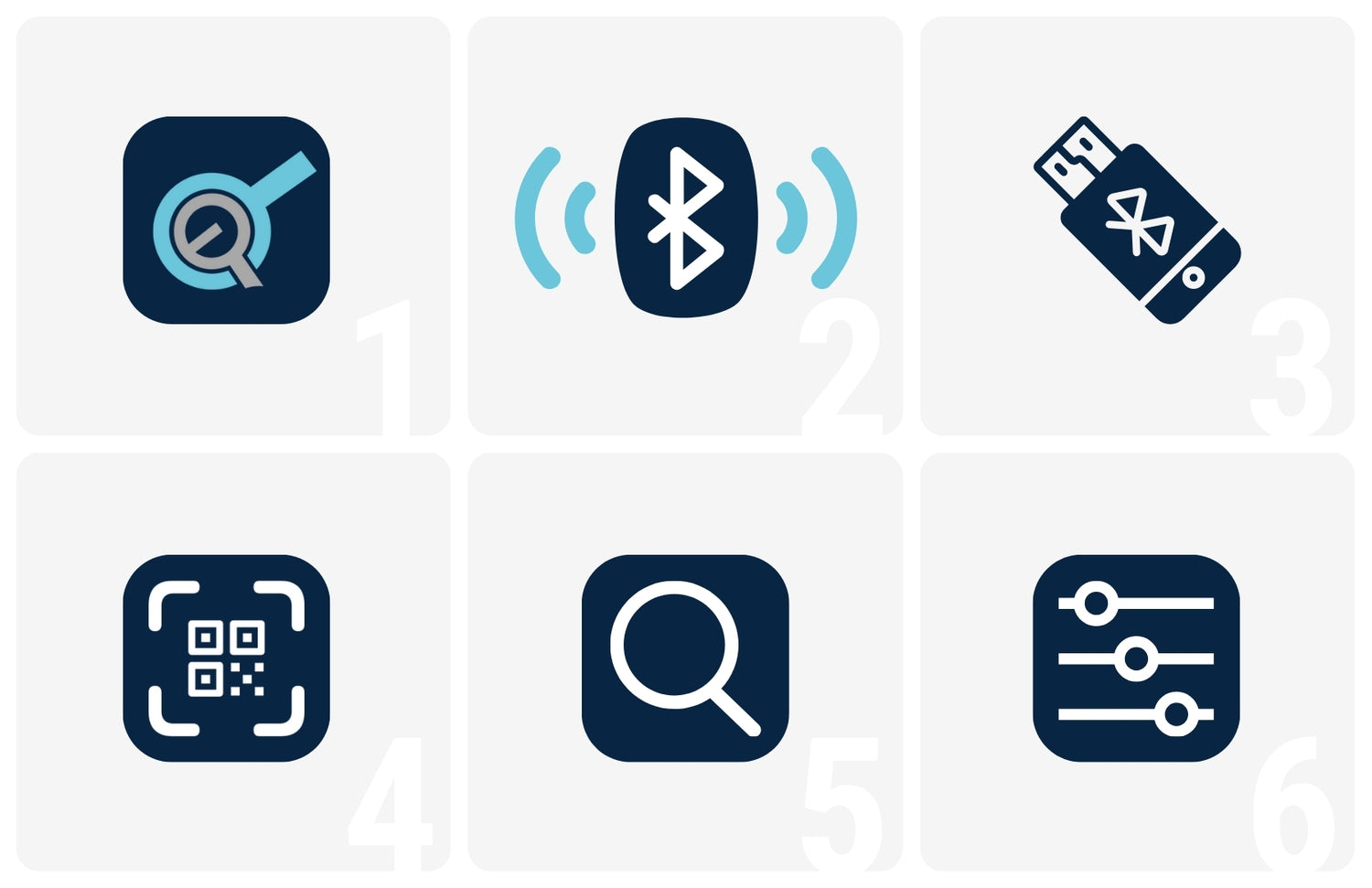
- Progressive Motion uygulamasını App Store veya Google Play'den indirin.
- Akıllı telefonunuzda Bluetooth'u açın.
- RT-BT1 Bluetooth dongle'ını kontrol kutusuna takın.
- Dongle üzerindeki etikette bulunan QR kodunu tarayın ve akıllı telefonunuzu kontrol kutusuna bağlamak için anında bir bağlantı edinin.
- Alternatif olarak, kolay eşleştirme ve sıfırlama için cihaz takıldığında Aygıt Listesi'nde Bluetooth cihazını arayabilirsiniz.
- Her şey hazır olduğunda, tercih ettiğiniz ayarları yapın ve basit, sezgisel bir arayüzle eşleştirilmiş cihazlarınızı kontrol etmeye başlayın.